ChatGPT
ChatGPT is available for SJSU students, faculty, and staff at no additional cost to access ChatGPT while using a university-connected SJSU account.
How to Access ChatGPT
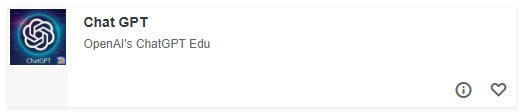
You can access ChatGPT by visiting one.sjsu.edu and searching for the tile titled "Chat GPT." Clicking on the tile will launch ChatGPT.
Plugins
As part of your access to ChatGPT as an SJSU student, staff, or faculty member, you have access to a set of connected apps (plugins) that allow you to bring information from commonly-used university tools into your ChatGPT conversations. These connections are designed to make it easier to find information, summarize content, and work across systems without repeatedly copying and pasting material.
FAQ
Who gets access to ChatGPT?
Please visit the ChatGPT Usage Eligibility page for full details.
What are the usage limits and features of the current ChatGPT Edu Plus license?
All campus users have the same limits:
Unlimited everyday chat
3 image generations per 24 hours
5 Deep Research queries per 24 hours
Limited amount of tokens used for Codex, high reasoning models, complex coding and
agentic work
Once the limits have been reached, you must wait until your limit resets at the end of the given time period and OpenAI releases the lock.
Which model do I choose?
We encourage our community to use higher-reasoning models when the task benefits from deeper analysis and to use standard models for everyday work. Selecting the appropriate model for the task can help preserve your advanced usage capacity for the work that needs it most. Please reference OpenAI's model documentation to learn more.
How do Alumni, Auxiliary Employees, or Continuing Education Students and Faculty get access?
How do Alumni, Auxiliary Employees, or Continuing Education Students and Faculty get
access?
In May 2026, the CSU Chancellor’s Office contracted a new license that will allow
recent graduates to continue access for 1 year. Auxiliary and continuing education
faculty and staff can request ChatGPT licenses for $30 per year per license.
How long will SJSU have access to ChatGPT?
The CSU Chancellor’s Office signed an 18-month (February 2025 - July 2026) contract in 2025. The contract was extended in June 2026 for three years, securing access through FY 2028–2029.
Can I use ChatGPT for my student coursework?
Everyone is encouraged to review the AI Writer’s Toolbox, which was built in collaboration between Writing Center Staff and Faculty and provides a detailed outline on AI Ethical Use in the classroom.
If you are still unsure after reviewing the documentation, check with your professor.
Do I get to keep my data that I create in the CSU ChatGPT account when I leave SJSU?
No. As of now, there is no option for migrating data out of ChatGPT. Once your account is no longer eligible, you will lose access to your university-connected ChatGPT account.
Will my information be used to train AI models?
No. The CSU’s agreement with OpenAI includes language that ensures your ChatGPT interactions and data are not used to train their underlying large language models or improve their services.
Can I create custom GPTs?
Yes, the ChatGPT Edu Plus plan allows institutions to build custom GPTs tailored to specific courses or administrative functions, which can be shared within campus workspace to enhance learning and operational efficiency.
Is my data safe? How does OpenAI ensure data privacy and security for educational institutions?
One of the benefits of an enterprise agreement is that OpenAI commits to data privacy and security by ensuring that conversations and data are not used to train their models. The current Edu Plus plan includes commercial data protection features like SAML SSO, domain verification, custom data retention windows, SOC 2 Type 2 compliance, and data encryption at rest and in transit. For further guidance, please reference the CSU's Guidelines for Safe and Responsible Use of Generative AI Tools.
What happens to my data after the CSU Chancellor's Office's contract with OpenAI ends in 2029?
Data continuity at the end of the contract has not been defined at this time.
Support
If you are experiencing any technical difficulty accessing ChatGPT with your @sjsu.edu account, please contact the SJSU IT Service Desk.